Baredoc

Check a document before you send it.

PDF, Word, Excel, PowerPoint and OpenDocument files carry more than you see on the page: who wrote them, who edited them, when, comments, earlier versions and more. Baredoc shows you all of it, then removes it.

Get it for iPhone Get it for Mac

One purchase for iPhone and Mac. Everything stays on your device.
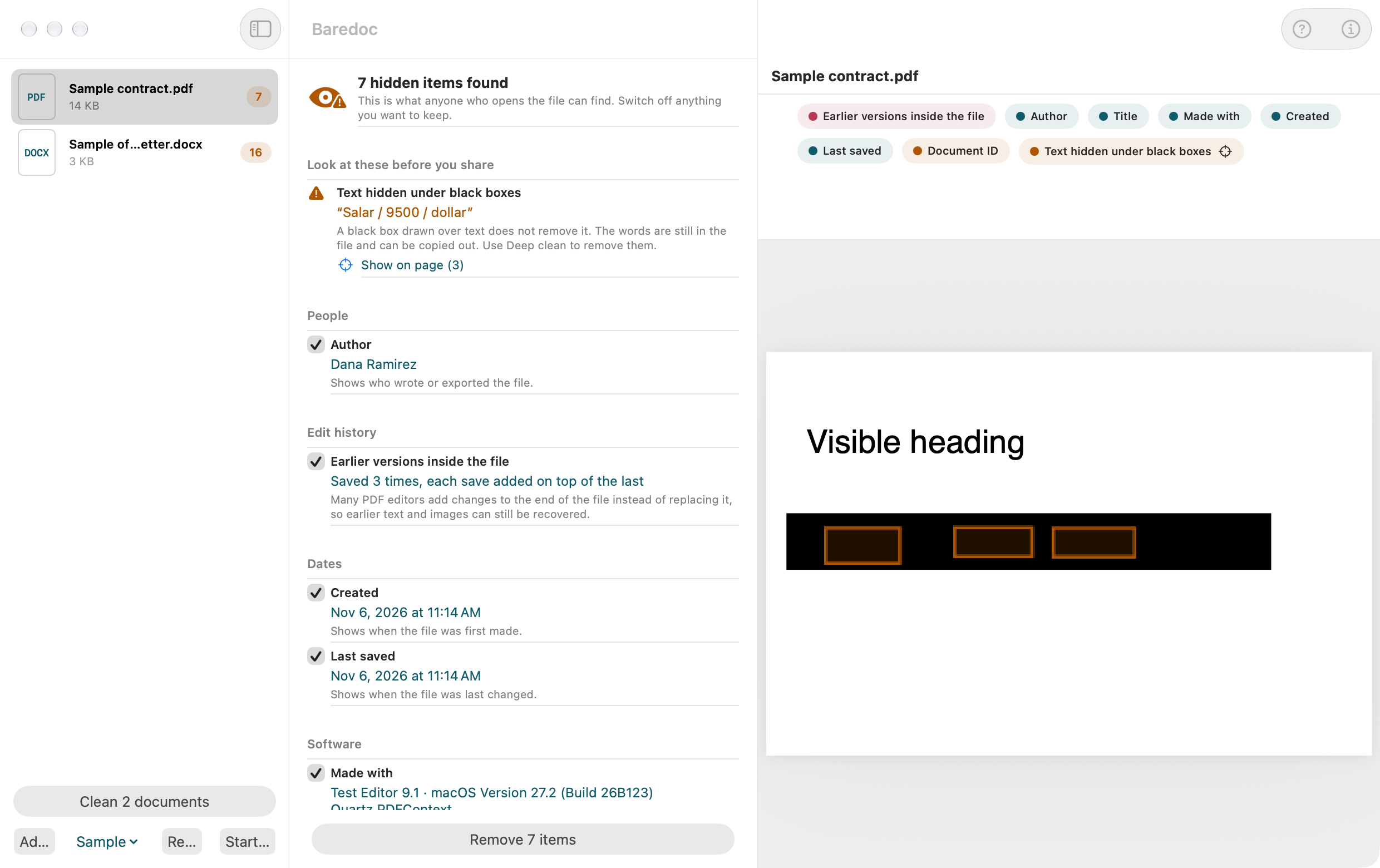
Baredoc on a Mac: a PDF with 7 hidden items found, including author, earlier versions and text hidden under black boxes, listed next to the document preview
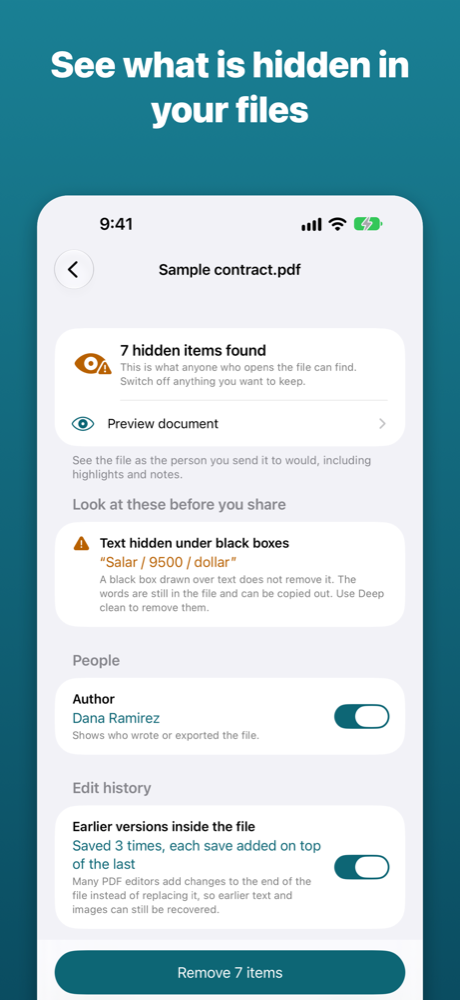
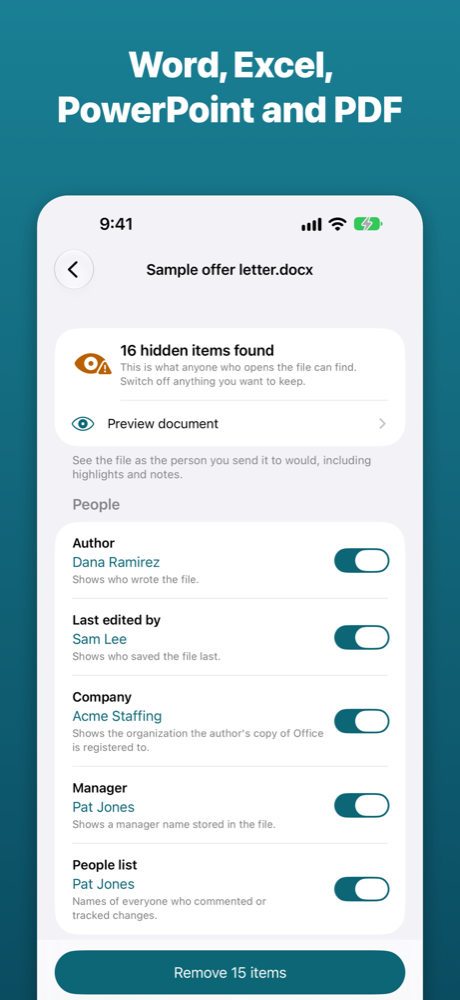
See everything firstThe real author name, company, dates, comments and edit history, not just a warning that something exists.
Catches the trapsWarns when text is only hidden under a black box and is still in the file.
Removes the historyRebuilds PDFs from scratch so earlier saved versions are gone, and strips Word, Excel, PowerPoint and OpenDocument (ODT, ODS, ODP) details.
Private by designNo account, no uploads, no tracking, no ads. Your files never leave your iPhone or Mac.

How it works

1Choose a fileA PDF, Word, Excel, PowerPoint or OpenDocument file. Drop it on the Mac app, or share it to Baredoc from Files or Mail.
2See what is insideBaredoc lists everything hidden in it, with the real values, and points to where it sits on the page.
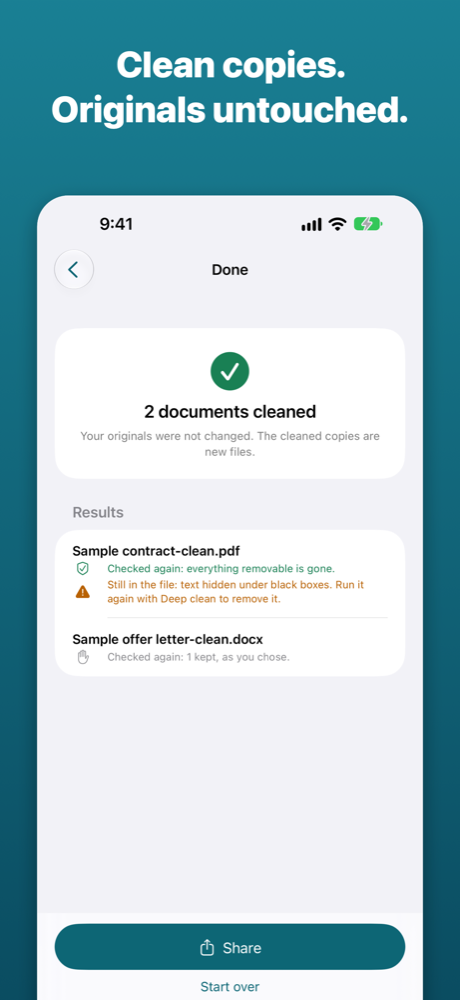
3Clean and checkSwitch off anything you want to keep, then clean. Baredoc inspects the new file again and shows the result.
4Share the copyYour original is never changed. The clean copy is a new file.

On the Mac

A full window with your files on the left, the findings in the middle and a preview on the right. Add whole folders, clean many files at once and save the copies into a folder.
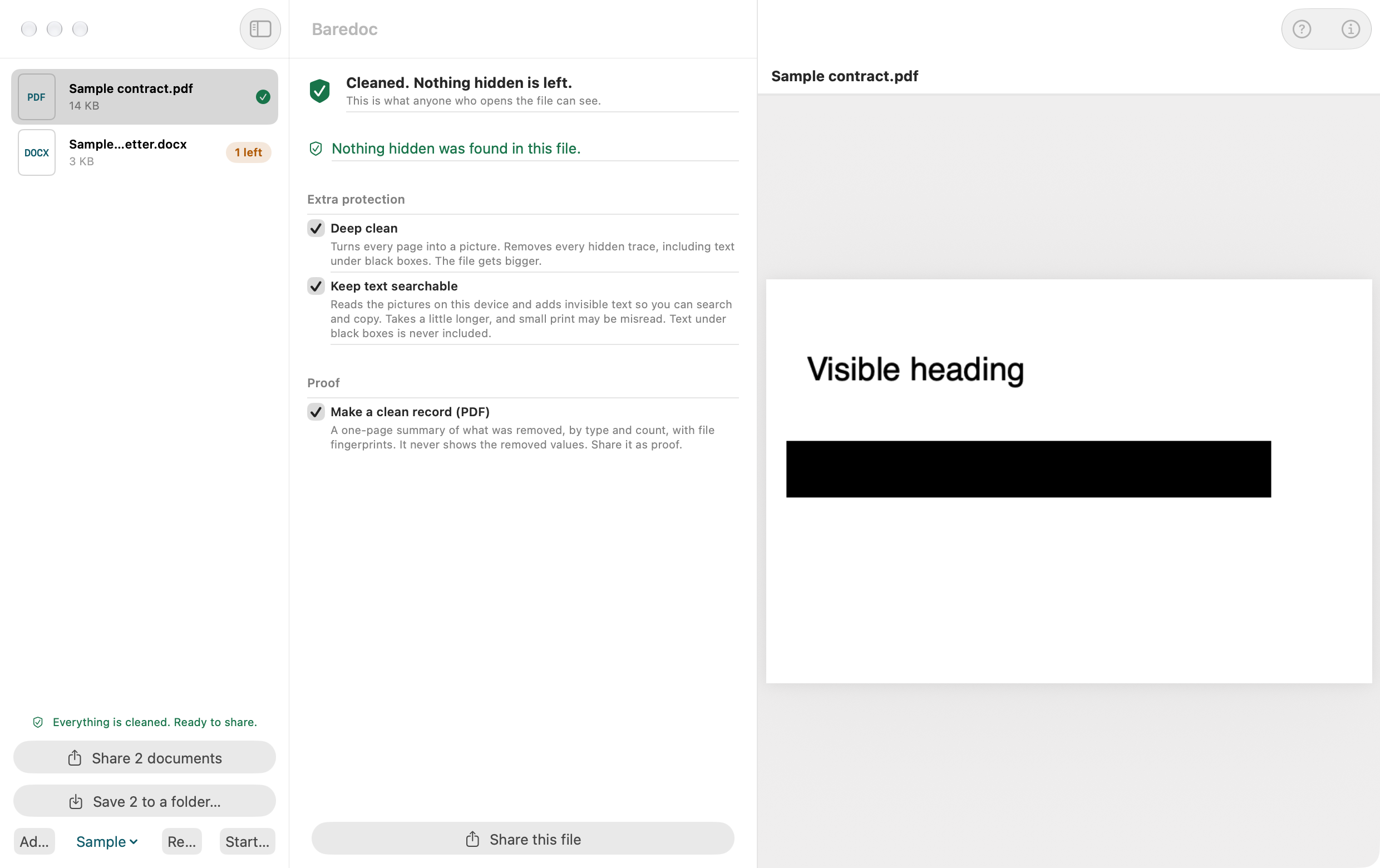
Baredoc on a Mac showing the files cleaned and checked again, with nothing hidden left and the option to make a clean record

On the iPhone

Pick a file or use the share sheet. The same checks, made for one hand.
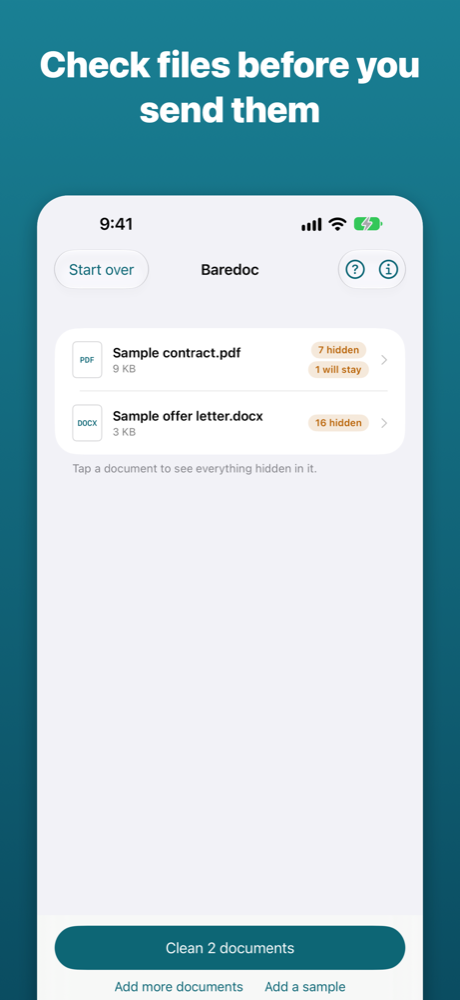
Baredoc home screen on iPhoneBaredoc listing hidden details found in a PDFBaredoc showing hidden content in a Word fileBaredoc done screen showing the cleaned files checked again

What it cannot hide

Anything visible on the page stays, such as a struck-through line or a retyped paragraph. For PDFs, Deep clean turns each page into a picture, which removes every hidden trace but means the text can no longer be selected.

Questions?

Read the support page or email [email protected].